


|
Name |
Spiral Betty |
|---|---|
|
Google Play Link |
GET IT ON
Google Play
|
|
Category |
Beauty |
|
Developer |
MAA FOR APPS |
| Last version | 4.1.4 |
|
Updated |
|
|
Compatible with |
Android 6.0+ |
Introduction to Spiral Betty APK
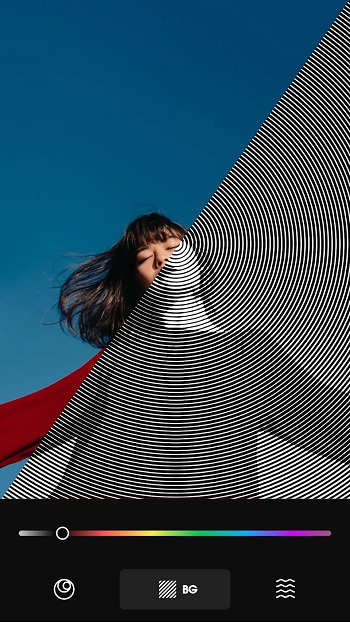
Spiral Betty APK is a creative photo and video editing app for Android. It turns normal images and clips into spiral-style artwork with simple tools, quick controls, and a layout that feels easy to understand even on the first try.
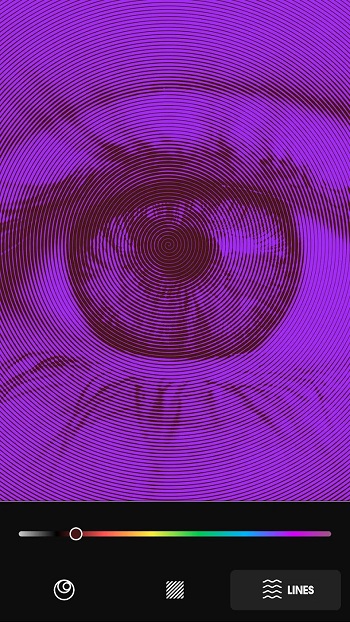
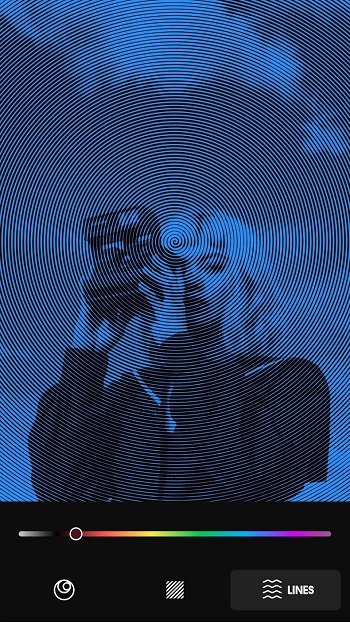
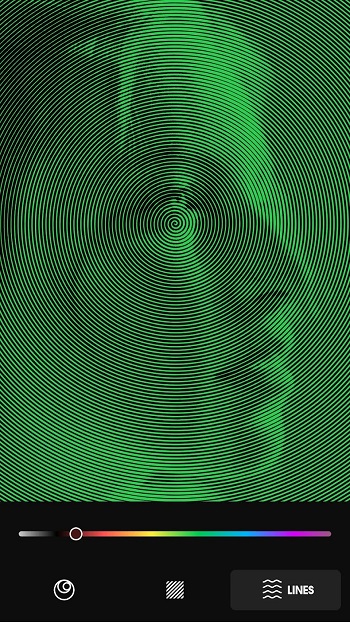
The app is mainly used to create spiral art from personal photos. You can import an image from your gallery, let the app generate the spiral effect, then adjust the result before saving it. It works well for profile pictures, aesthetic posts, wallpapers, edits, and quick visual content for social media.
Spiral Betty also includes video editing support, which makes it useful for short clips and creative reels. Users can apply spiral effects to video footage, giving plain recordings a more artistic look without needing advanced editing skills. That is handy when you want something eye-catching but do not want to wrestle with a heavy editor.
Its main tools focus on spiral size, line color, background color, and color swapping. These settings give users enough control to make each edit feel personal. The real benefit is speed. You can create a clean spiral design in a few taps, save it to your device, and share it where you like.
The app suits casual creators, students, social media users, wallpaper fans, and anyone who likes making visual edits for fun. It is also useful when you need a quick design idea and your brain has decided to take a coffee break. The simple interface makes it friendly for beginners who want stylish results without studying editing menus for half an hour.
Spiral Betty APK does have a few limits. It may show ads, which can interrupt the editing flow. Its toolset is also lighter than professional editing apps, so users who need detailed layer control, advanced filters, or studio-level exports may find it basic. For simple spiral photo and video edits, though, it covers the core needs clearly.
This overview is written for Android users who want to know what Spiral Betty does before installing it. The details are based on the provided app information, including its editing features, Android compatibility, developer details, update notes, and practical use cases.
FAQs Spiral Betty
What is Spiral Betty used for?
+
Spiral Betty is used to turn photos and videos into spiral-style artwork. It helps users create aesthetic images, profile pictures, wallpapers, and short visual edits with simple controls.
How does Spiral Betty APK work?
+
You import a photo or video, let the app apply a spiral effect, then adjust the spiral size, line color, and background color. After editing, you can save the result to your device.
Who should use Spiral Betty?
+
Spiral Betty is suitable for Android users who like photo edits, social media visuals, wallpapers, and simple creative tools. It is especially useful for beginners who want fast results.
Can Spiral Betty edit videos?
+
Yes, Spiral Betty supports spiral-style video editing based on the provided app information. Users can apply spiral effects to clips and create more creative short videos.
What are the main limits of Spiral Betty APK?
+
Spiral Betty APK may include ads, and its editing tools are simpler than professional design apps. It works best for quick spiral art edits rather than advanced photo or video production.
Share Your Thoughts